Change the electrodes every day. This helps the Bioflux device stick to your skin properly.
Be gentle when removing electrodes to avoid skin damage.
Wear the Bioflux device as often and for as long as possible. The more data the device collects, the better your results will be.
The Bioflux device is NOT waterproof.
- Before showering, please remove the Bioflux device and electrodes from your skin.
- After showering, dry your skin completely.
- Replace the old electrodes with new ones and re-attach the Bioflux device.
Don’t worry! Just put the Bioflux device back on when you remember. Try to wear it as much as you can every day.
The app will indicate if everything is functioning properly. If there's an issue, a message will be displayed.
It is normal for the screen to go dark during your study to save energy, but rest assured, the Bioflux device is still active and recording your ECG data. To wake it up, press and release the home button.
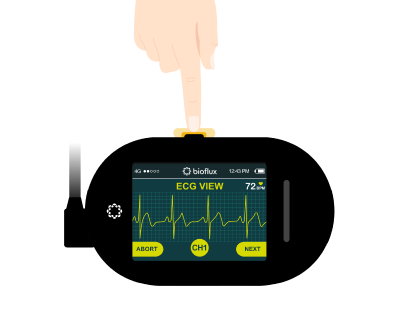
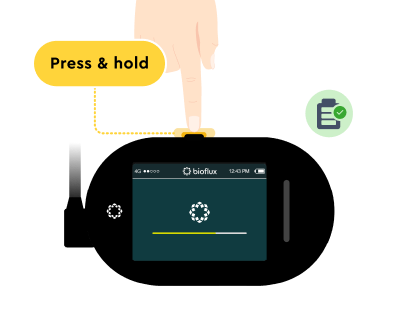
The Bioflux device will only power off when the battery is empty. To power it back on, ensure it is sufficiently charged, then press and hold the home button for 5 seconds or until the screen lights up.
Please contact your physician and let them know you are experiencing some discomfort from the electrodes, and see if they can provide you with a hypoallergenic alternative.
Charge the Bioflux device for one hour daily to keep it powered. A good time to do this is while you’re bathing. You can also monitor the battery level through the app or the device's screen.
Unsnap electrodes from ECG Lead Wires.
Connect the supplied charging cable to the charging port on the top of the Bioflux device.
Plug the other end of the charging cable into a wall outlet.
You can check the device's charge level by looking at the top right corner of the screen and seeing if the battery level bar is full.
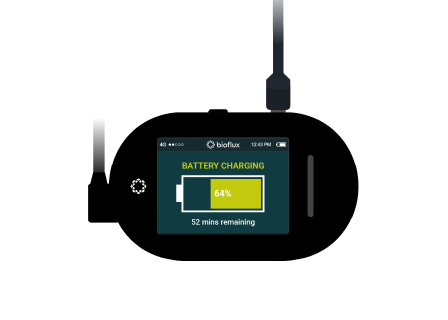
After charging, follow these steps:
- Turn on the device: If the device is powered off, press and hold the home button for 5 seconds or until the screen lights up.
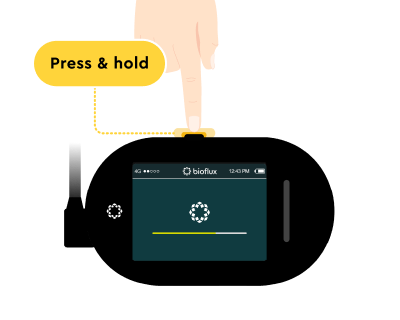
- Wear the device as per the instructions given: Put the device on as instructed. If you're unsure how to wear it, check the Guide section for detailed instructions.
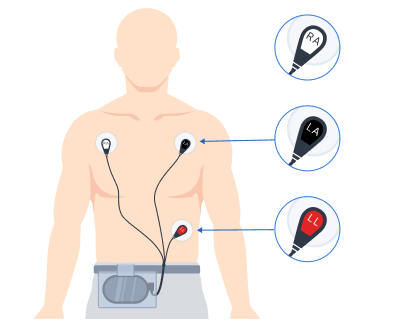
- Replace the electrodes: Attach new electrodes if the old ones are no longer usable.
- If the Bioflux device is on, check the battery bar at the top-right corner of the screen. A full bar means it’s fully charged.
- If the Bioflux device is off, charge it for an hour, then press and hold the Power button until the screen turns on to check the battery level. You can also monitor the battery charging progress in the app.
It typically takes about 2 hours to fully charge the Bioflux device.
If the Bioflux device is connected to your phone, you can open the app to check the battery level in real-time.
No need to turn it off! The Bioflux device can stay on while charging and will automatically switch to charging mode when you plug it in.
The Bioflux device will only power off if the battery is empty. Follow these steps:
- Charge the device: Plug the device in and let it charge for about an hour.
- Turn on the device: After charging, press and hold the home button for 5 seconds or until the screen lights up.
If the Bioflux device still will not power on, contact Customer Support for further assistance.
Only use the charger provided with your Bioflux device. Using other chargers may result in slow charging or potential damage.
During the ongoing study, you can view the study information in the Home and Service tabs of the app. Moreover, heart rate data from your device will be displayed in the Heart rate chart.
Once your study is complete, a physician will review your data, and the results will be sent to the app for you to view.
You can track the remaining time for your study directly on the app. The app will also provide clear instructions on what to do during the study and what steps to follow once it is complete.
While the Bioflux device is still attached to your body, hold the electrode firmly in place with finger(s).
Grip the ECG Lead Wire and gently pull upward until it unsnaps and detaches from the Bioflux device.
Yes, you should wear your monitor while sleeping to ensure continuous data collection.
No, turning off the device does not erase your data. The Bioflux securely stores all recorded data from the start of your heart monitoring study until it is completed and uploaded to the clinic.
A pre-paid return label is included in the device box.
Please box the device after the study is complete and return it using the pre-paid label. If you lose the label, please contact support for assistance.